

Mobile application penetration testing
Mobile Application Penetration Testing
Test your iOS and Android apps end to end. A mobile app is more than the code on the device, so we test the app, how it stores data, and the APIs behind it. All application testing is performed by consultants who hold both GWAPT and OSWE.
What is mobile application penetration testing?
Mobile application penetration testing is an authorized, scoped test of your iOS and Android apps. A tester works with the builds your users install, such as store builds, and often the companion APIs those apps rely on. The tester checks how the app stores data, handles sessions, and talks to its backend, validates weaknesses by hand, and confirms what an attacker could actually do. You get a report of real, validated findings with practical remediation guidance, rather than raw scanner output.
If your app shares an API with a web client, see web application security testing for how that side is tested.
Not sure what to include? Tell us about your app and we will help you scope it.
Testing methodology
We use public reference frameworks such as the Penetration Testing Execution Standard (PTES) and NIST SP 800-115, the technical guide to information security testing, so your team can follow how the work was done.
- Reconnaissance and app review: we install the agreed builds, map the app's screens, roles, and permissions, and identify the APIs it calls.
- Static analysis: we inspect the app package for hardcoded secrets, insecure configuration, and weak platform settings.
- Dynamic analysis: we run the app on test devices, inspect traffic between the app and its backend, and check local storage, sessions, and token handling.
- API testing: we test the in-scope APIs for authentication and authorization gaps between users and roles.
- Controlled exploitation: where agreed in the rules of engagement, we carefully confirm impact within the agreed scope and test accounts.
- Reporting: we document each validated finding with steps to reproduce, severity, and remediation guidance.
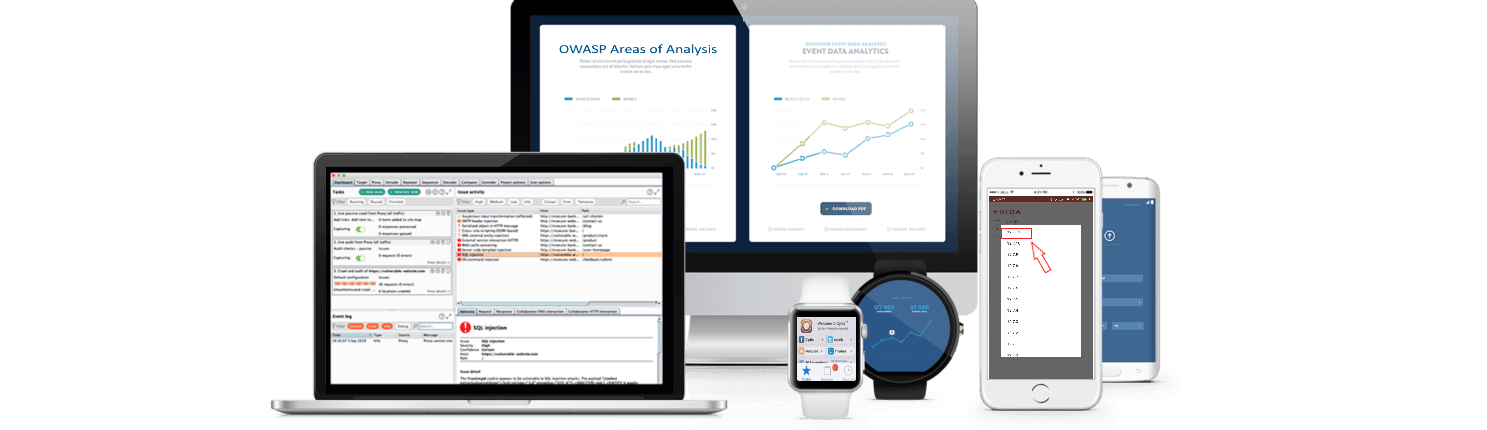
Device and backend together
Many mobile issues live in the API, not the app. Testing them together is usually the best way to see how the app and API interact.
We test on real or instrumented devices and inspect traffic between the app and its backend so gaps at the boundary are less likely to be missed.
Where the same API also serves a web client, we make sure the scope reflects that so you are not paying for overlapping work.
What we test
- How the app stores data on the device, including caches and logs.
- Authentication, session handling, and token storage.
- The APIs the app depends on, including authorization between users.
- Transport security and certificate handling.
- Client-side controls that can be bypassed or tampered with.
- Handling of sensitive data in memory and at rest.
- Platform configuration on both iOS and Android.
Our process
- 1
Scope
We agree on the platforms, builds, accounts, and APIs in scope before testing begins.
- 2
Access and setup
You provide builds and test accounts. We set up devices and confirm we can exercise the app.
- 3
Testing
We test the app and its backend manually, supported by tooling, and confirm each issue.
- 4
Reporting
You receive findings with steps to reproduce, business impact, severity, and remediation guidance.
- 5
Readout and retest
We walk through the findings with your team. Retest terms are set in the statement of work.
What a good report includes
Findings your engineers can reproduce and fix, and a summary your stakeholders can follow.
- Each finding with clear steps to reproduce on the device or API.
- Business impact described in plain language.
- Severity rated with a documented, consistent method.
- Remediation guidance for both the app and the backend.
- An executive summary that reflects the actual findings.
Scoping checklist
These questions define coverage so both sides know what is included. This is about clarity, not a checklist for choosing a vendor.
- Which platforms are in scope: iOS, Android, or both.
- Which builds and versions we should test.
- Which APIs and backend services the app uses.
- How many user roles or account types to cover.
- Any jailbreak or root detection to account for.
- What is explicitly out of scope.
- Test windows and who to contact for critical-severity findings.
What is included
Beyond the testing itself, you get the deliverables your team needs to prioritize and fix what we find.
- Scoped manual testing of the iOS and Android mobile clients, roles, and related APIs we agree are in scope, with tooling used to widen coverage.
- A written report with steps to reproduce, business impact, severity, and remediation guidance.
- A readout after delivery to walk through findings and answer questions.
- Retest terms set in the statement of work.
Frequently asked questions
Short answers to common questions about scoping a mobile application penetration test.
Do you test iOS, Android, or both?
Either or both. We agree on the platforms, builds, and versions in scope before testing begins. Many teams test both because the two apps often share the same backend but handle storage and platform settings differently.
Is the backend API included?
It can be, and it often should be, because many mobile issues live in the API rather than the app. We align on which APIs and backend services are in scope during scoping. If the same API also serves a web client, we reflect that in scope so the work does not overlap with a web application test.
What do you need from us?
The app builds to test, such as store builds or test builds, test accounts for each role in scope, the API hosts in scope, written authorization, and a named contact. Authorization has to come from whoever controls each asset, including any hosted or third-party backend services the app uses.
Will testing affect our users or production data?
Testing is planned to keep that risk low. We agree on test accounts, environments, and testing windows before testing begins. If we confirm a critical-severity issue during testing, we contact your named contact right away rather than waiting for the report.
How long does a mobile application penetration test take?
It depends on scope, such as the number of platforms, user roles, and APIs in scope. We agree on a timeline during scoping.
Is a mobile application penetration test a compliance certification?
No. A mobile application penetration test is not a compliance certification. It shows what was found in the apps, builds, and APIs that were agreed in scope, and it can be one input to a broader security program.

Scope a mobile application test
Tell us about your app and we will follow up with next steps.